KeyLoft™'s accounting tools give you a complete financial picture of your rental portfolio. From a simple tax deduction summary to full P&L statements, balance sheets, and depreciation tracking, KeyLoft helps you stay on top of your finances year-round.
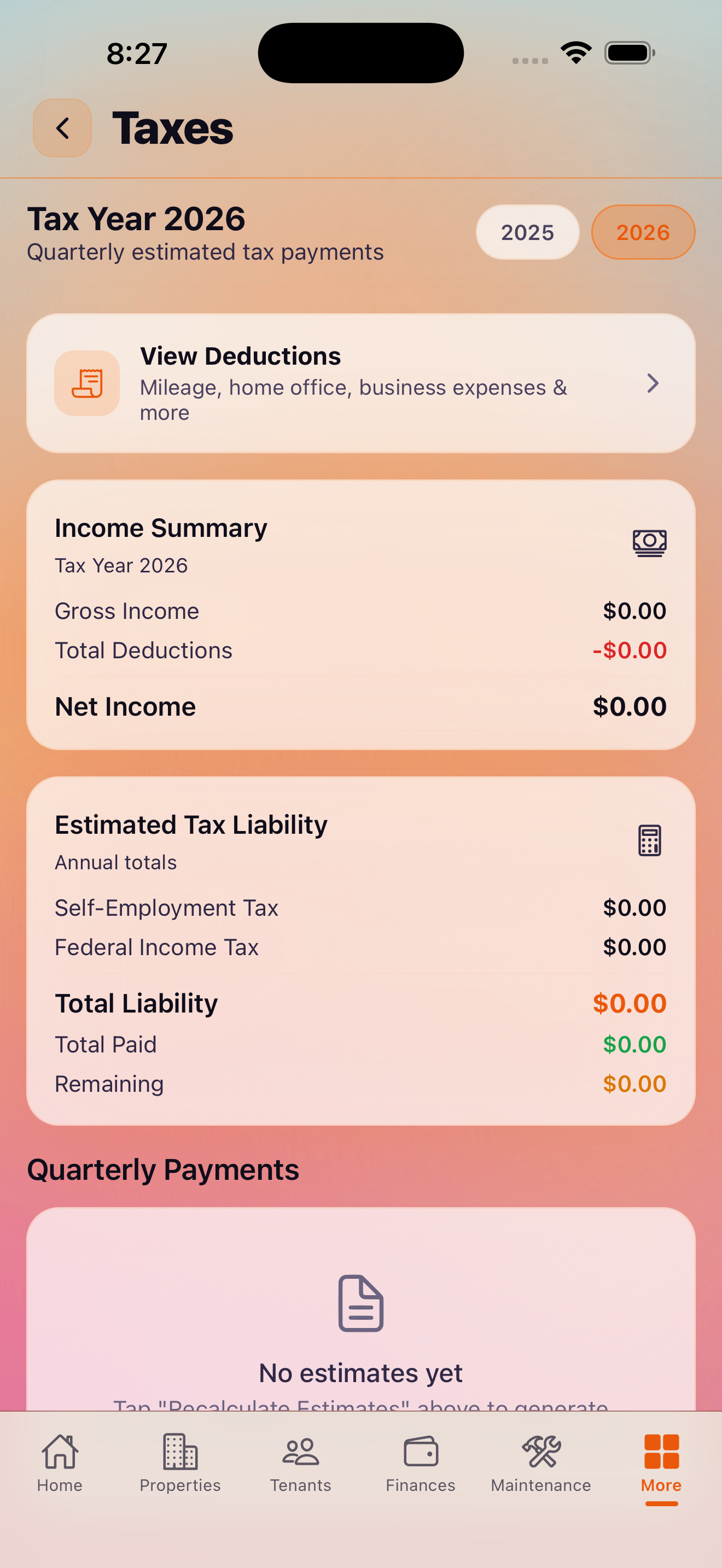
Taxes & Deductions Overview
Find this in More → Finances → Taxes & Deductions. This screen gives you a summary of your rental income and deductible expenses for the current tax year, including:
- Total rental income collected
- Total deductible expenses by category
- Estimated taxable income
- Quarterly estimated tax payment due dates
This view helps you see where you stand throughout the year rather than scrambling at tax time.
Chart of Accounts
Find this in More → Accounting → Chart of Accounts. The Chart of Accounts is the foundation of KeyLoft's accounting system — a list of all income and expense categories used to classify your financial transactions. You can view the default accounts and use them to understand how your transactions are categorized.
P&L by Property Pro
Find this in More → Accounting → P&L by Property. The Profit & Loss statement shows income minus expenses for each property over a selected time period. This is the key report for understanding which properties are profitable and which are underperforming. You can filter by date range and export as PDF.
Balance Sheet Pro
Find this in More → Accounting → Balance Sheet. The Balance Sheet provides a snapshot of your assets, liabilities, and equity across your portfolio at a point in time. Useful for understanding your net worth from real estate and for conversations with lenders or investors.
Depreciation Tracking Pro
Find this in More → Accounting → Depreciation. Depreciation is one of the most valuable tax deductions for landlords. KeyLoft tracks depreciation for each property based on the purchase price and acquisition date you entered. The depreciation schedule uses the standard 27.5-year straight-line method for residential rental property.
1031 Exchange Tracking Pro
Find this in More → Accounting → 1031 Exchange. If you're selling a property and reinvesting in another to defer capital gains taxes, KeyLoft's 1031 Exchange tracking helps you manage the key dates and amounts involved in the exchange. Track the relinquished property sale, replacement property identification period, and closing deadlines.
Bank Reconciliation Pro
Find this in More → Accounting → Bank Reconciliation. Bank Reconciliation lets you match your KeyLoft transactions against your bank statement to ensure your records are accurate. This is essential for catching errors and maintaining clean books.
KeyLoft's accounting tools help you stay organized, but always consult a qualified tax professional or CPA for advice on your specific tax situation. KeyLoft is not a substitute for professional accounting or tax advice.
Quarterly Tax Estimates
The Taxes & Deductions screen includes a view of the quarterly estimated tax payment schedule (typically due in April, June, September, and January). This helps you plan for quarterly payments rather than being caught off guard. The estimates are based on your income and deduction data in KeyLoft.
What's Next
- Generate investor-ready reports
- Export data to QuickBooks or Xero
- Make sure all deductible expenses are logged
Tax season, simplified
Keep your rental finances organized year-round with KeyLoft.
Download on the App Store