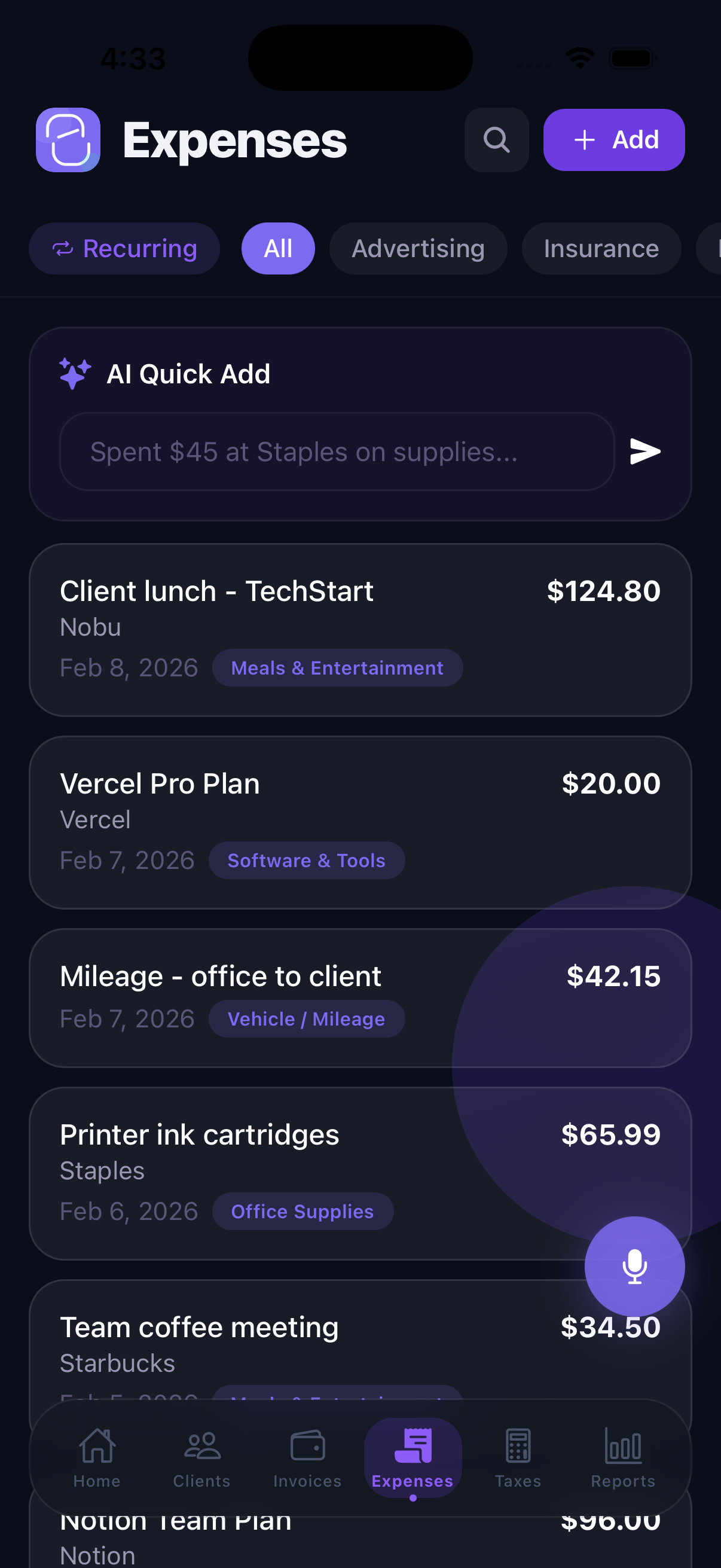
The Expenses tab is where you log every dollar you spend on your properties — repairs, supplies, insurance, property taxes, management fees, and more. Keeping expenses organized in KeyLoft™ makes tax season much simpler and gives you a clear picture of each property's profitability.
Adding an Expense
To add a new expense, tap + on the Expenses screen and enter:
- Amount — the cost of the expense
- Date — when the expense occurred
- Category — which type of expense this is
- Property — which property this expense is associated with
- Vendor / payee — who you paid
- Description — notes about the expense
- Deductible — mark whether this expense is tax-deductible
- Receipt photo — attach a photo of the receipt
The Free plan supports up to 5 expenses. Upgrade to Pro for unlimited expense tracking.
Expense Categories for Tax Purposes
KeyLoft organizes expenses into categories that align with common rental property tax deductions:
- Repairs & maintenance
- Insurance
- Property taxes
- Mortgage interest
- Utilities
- Property management fees
- Legal & professional fees
- Advertising & marketing
- Supplies
- Travel & mileage
- Depreciation (tracked separately)
- Other
Receipt Scanning & Storage Premium
With Premium, the AI receipt scanner reads your receipt photo and automatically fills in the vendor, amount, date, and suggested category. Just snap a photo and let KeyLoft do the data entry. Receipts are stored on your device and included in iCloud backup.
Mileage Trip Tracking
When you drive to a property for inspections, repairs, or showings, that mileage is tax-deductible. KeyLoft lets you log mileage trips with the IRS standard mileage rate. To log a mileage trip:
- Tap + on the Expenses screen
- Select Mileage as the expense type
- Enter the trip distance and destination
- KeyLoft calculates the deductible amount using the current IRS rate
Expense Deductibility
Each expense can be marked as deductible or non-deductible. When you view your Taxes & Deductions summary (More → Finances → Taxes & Deductions), KeyLoft totals up all your deductible expenses to give you a picture of your tax liability for the year.
Pro tip: Use voice entry (Premium) to log expenses hands-free — just speak the vendor, amount, and category and KeyLoft creates the record for you.
What's Next
- Review your deductions and tax summary
- Generate a P&L report by property
- Export expense data to CSV or QuickBooks
Track every dollar, claim every deduction
Download KeyLoft and start logging your rental property expenses today.
Download on the App Store