KeyLoft™'s reporting tools give you the data you need to understand your portfolio's performance, share results with investors or lenders, and make informed decisions about where to invest and where to cut costs.
Reports Overview
Find the main Reports screen at More → Reporting & Analytics → Reports. This is your hub for generating all standard property management reports. Available reports include income summaries, expense breakdowns, and a payment history report. All reports can be exported as PDF to share or file.
Rent Roll
Find this at More → Finances → Rent Roll. The Rent Roll is a table showing every tenant, their property/unit, lease dates, monthly rent, and current payment status. It's the most commonly requested report by lenders, property managers, and investors. Use it to quickly confirm who is current and who is behind.
Investor Reports Pro
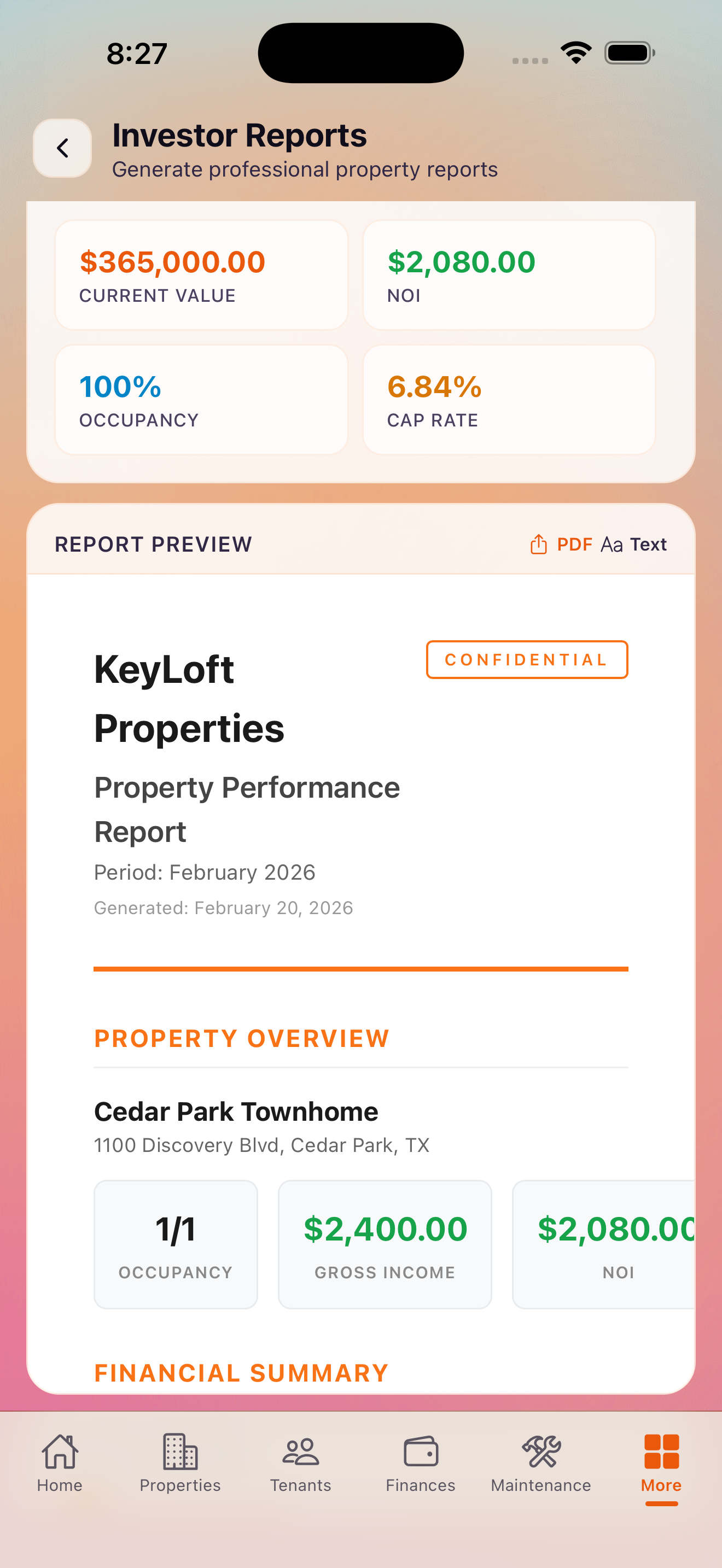
Find this at More → Reporting & Analytics → Investor Reports. Generate a professional property performance report that includes:
- Cap rate and net operating income (NOI)
- Gross rent multiplier
- Occupancy rate
- Income and expense summary
- Year-over-year comparison
Export as PDF to share with partners, lenders, or investors. Pro subscribers can access this report for each property in their portfolio.
Occupancy Trends Pro
Find this at More → Reporting & Analytics → Occupancy Trends. View occupancy rate over time across your portfolio or for a specific property. Spot seasonal vacancy patterns and benchmark your performance month-over-month and year-over-year.
Maintenance Costs Analysis Pro
Find this at More → Reporting & Analytics → Maintenance Costs. See maintenance spending broken down by property, category, and time period. Identify which properties and systems are costing the most so you can prioritize preventive maintenance and budget accordingly.
ROI Calculator Pro
Find this at More → Reporting & Analytics → ROI Calculator. The ROI Calculator computes your return on investment for each property using your actual income and expense data in KeyLoft. Metrics include:
- Cash-on-cash return
- Cap rate
- Total return including appreciation
- Annual net cash flow
PDF Export and Sharing
Most reports in KeyLoft can be exported as PDF using the standard iOS share sheet. Tap the share icon on any report to save the PDF to your Files app, email it directly, or share it through any app on your device. PDF export requires Pro.
Pro tip: Generate an Investor Report at the end of each quarter to track your portfolio's performance over time and spot trends before they become problems.
What's Next
Know exactly how your portfolio is performing
KeyLoft Pro gives you the reports and analytics to manage like a pro.
Download on the App Store