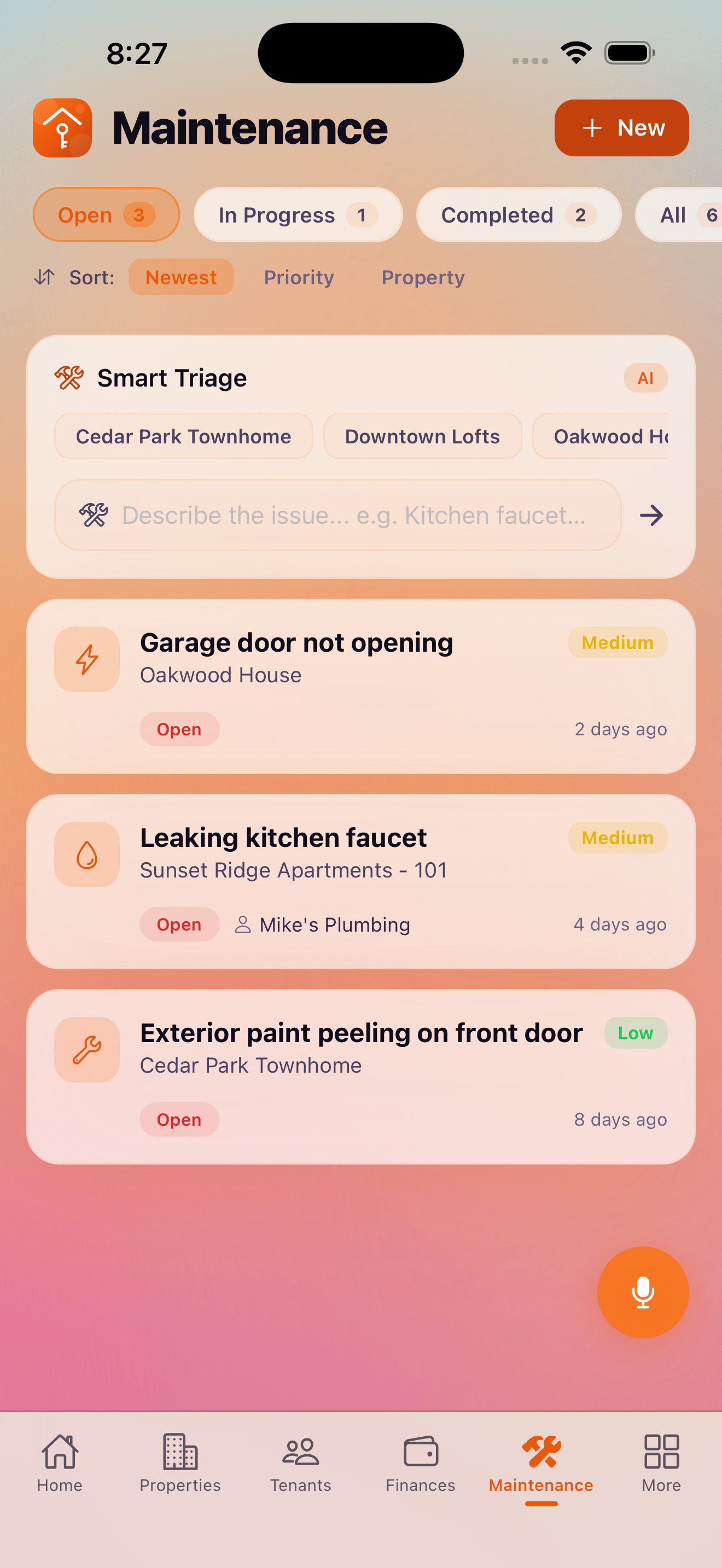
The Maintenance tab lets you log, track, and resolve every maintenance request across your portfolio. From a leaky faucet to a full HVAC replacement, every request has a full history including photos, vendor assignments, and status updates.
Creating a Maintenance Request
To log a new maintenance request, tap + on the Maintenance screen and fill in:
- Title — a brief description of the issue
- Property and unit — which property this request is for
- Category — the type of maintenance needed
- Priority — low, medium, high, or emergency
- Description — details about the issue
- Vendor assignment — assign a vendor from your directory (Pro)
- Before photos — document the issue before repairs
The Free plan supports up to 2 maintenance requests. Upgrade to Pro for unlimited requests.
Maintenance Categories
KeyLoft™ organizes maintenance requests into 10 categories:
- Plumbing
- Electrical
- HVAC (heating, ventilation, air conditioning)
- Appliances
- Structural
- Landscaping
- Pest control
- Cleaning
- Safety and security
- General / Other
Priority Levels
Set the urgency for each request so you and your vendors know what to tackle first:
- Emergency — immediate safety or habitability issue (water leak, no heat, broken lock)
- High — significant issue that needs attention within days
- Medium — standard maintenance, schedule within a week or two
- Low — cosmetic or minor, can be batched with other work
Status Tracking
Every maintenance request moves through a status workflow:
Before, During, and After Photos
Each maintenance request supports photos at every stage:
- Before photos — document the original issue when you log the request
- During photos — add photos while work is in progress
- After photos — capture the completed repair for your records
Photos are stored on your device and included in iCloud backup. They create a visual audit trail for insurance claims, security deposit disputes, or vendor accountability.
Vendor Assignment Pro
With Pro, you can assign a vendor from your Vendor Directory to each maintenance request. The vendor's contact information is attached to the request so you can reach them quickly. To assign a vendor, open the maintenance request and tap Assign Vendor.
Preventive Maintenance Scheduling Premium
The Premium AI assistant can suggest and schedule preventive maintenance based on your property types, age, and maintenance history. This helps you get ahead of failures before they become expensive emergency repairs.
Property Inspections
KeyLoft supports three types of property inspections, which you can log as maintenance records:
- Move-in inspection — document property condition when a tenant moves in
- Move-out inspection — document condition when a tenant moves out
- Routine inspection — periodic condition checks during a tenancy
Pro tip: Use the Maintenance Costs report (More → Reporting & Analytics → Maintenance Costs) to see spending trends by property and category over time.
What's Next
- Log the cost of a repair as an expense
- Add vendors to your Vendor Directory
- View maintenance cost analytics
Never lose track of a repair
Log every request, photo, and resolution in KeyLoft.
Download on the App Store